

Members: Customize Your WWOOF Notifications
We’ve added a new feature that gives you more control over the notifications you receive from WWOOF Canada.
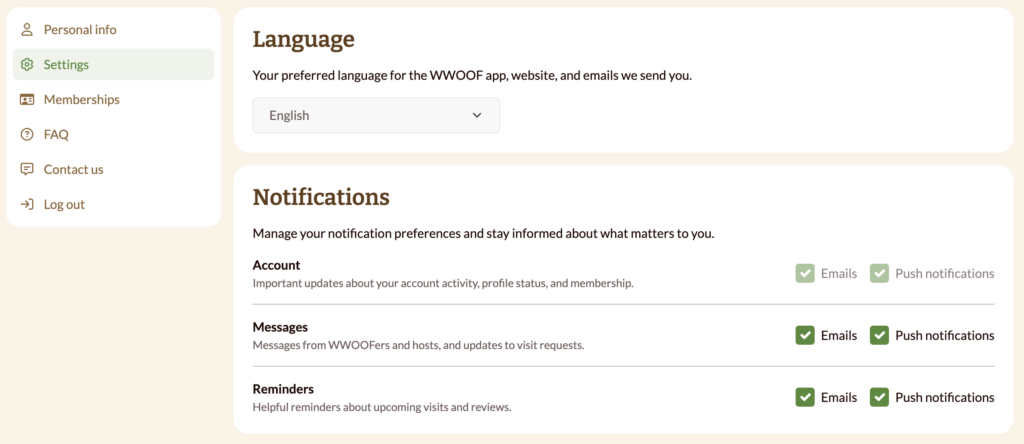
You can now choose which types of notifications you’d like to receive by email and through push notifications. Whether you want to stay informed about messages, reminders, and account updates, or reduce the number of notifications you receive, you can easily adjust your preferences at any time.
How to manage your notification settings:
- Log in to your WWOOF.ca account
- Click on Settings
- Scroll to the Notifications section
- Toggle email and push notifications on or off for:
- Messages from hosts and WWOOFers
- Reminders about upcoming visits and reviews
Note: Account notifications cannot be toggled off
Your notification preferences will be saved automatically.
We encourage all members to review their settings to ensure they’re receiving the updates that matter most to them.